
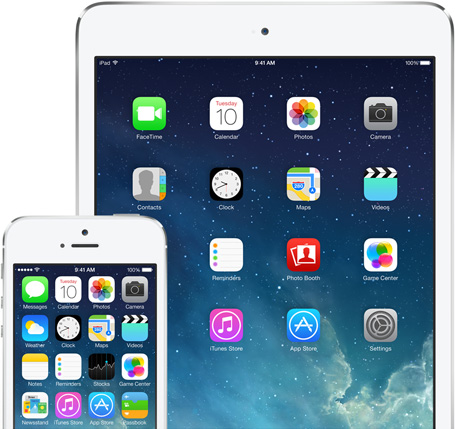
Some of you may have heard, it’s almost time for a new version of Apple’s iOS for its iPhones, iPads, and iPod touches, to arrive. Last week Apple announced that it would release iOS 7 to the iStuff using public on Wednesday, September 18th. And the changes are really big!
So any of you running iOS 6 on your iPhone 4, 4S, or 5, or your iPad 2, iPad with Retina Display (3rd and 4th generation), iPad mini, and 5th generation iPod touch (released only last year) will be getting notices starting Wednesday that an update to the operating system on your device is available.
If you are using an original 1st generation iPad, an iPhone 3GS or older, or any iPod touch prior to last year’s 5th generation iPod touch, you will not be offered the upgrade. These devices do not have the CPU horsepower, or more likely, the system RAM, to smoothly run the new iOS 7. Don’t fret too much though, as you will still be able to use whatever iOS version (hopefully at least 5 or 6) that you are using currently just fine. However, as app developers start to update apps for iOS 7, those older devices may be left out of new feature updates to some popular apps as apps move on to support the new stuff in iOS 7. So, if you are using an first generation iPad, an iPhone 3GS, or a 4th generation iPod touch, you might want – if your budget allows – to give consideration to upgrading to at least an iPad 2, an iPhone 4S or new iPhone 5C or 5S, or the fifth generation iPod touch, sooner rather than later in order to continue to enjoy new and updated apps for your iStuff for months and years to come.
(UPDATE: I almost forgot… if you ARE considering getting a new iPad, then I’d wait at least another month if you can. The rumors are strong that new iPads will be announced next month, after new iPhones were announced this month.)
For those who can update to iOS 7, please do not hesitate to do so. There is no potential usefulness loss like there may have been for some last year with the new Apple Maps. Maps should be getting better now, and iOS 7 adds in walking and transit directions again. iOS 7 will also bring a raft of new features both on the surface and in the underpinnings of your iStuff that it will be worth it in the long run to apply the free upgrade. But be forewarned, things are going to look a lot different. Everything will still work fine and mostly just as it did before, but there will be a few things working differently as well as looking different. Most notable of these differences will be in the Notification Center, Spotlight Search access, the Multitasking access, and a new Control Center.
There may be some hiccups and bugs, as there inevitably are with any new operating system update. But I am certain they will be corrected in an iOS 7.0.1 or 7.1 soon enough. Apple’s usually pretty good about that.
Rather than go into a lot of detail on the changes here, I’m going to point you to two excellent sources for more information on all the new features and benefits of iOS 7. As always though, if you have any questions, feel free to ask me (in the comments here).
First, there’s Apple’s own site with lots of info on all the new and updated iOS 7 user features:
Apple’s iOS 7 Site
And then there is the excellent preview of iOS 7 by the great folks at iMore, one of the best Apple-focused sites out there:
iMore iOS 7 Preview
Go check those out and, as I said, let me know if you have any questions.
Enjoy.
 iStuff User